
Tilly vs Shopify Campaign Autopilot
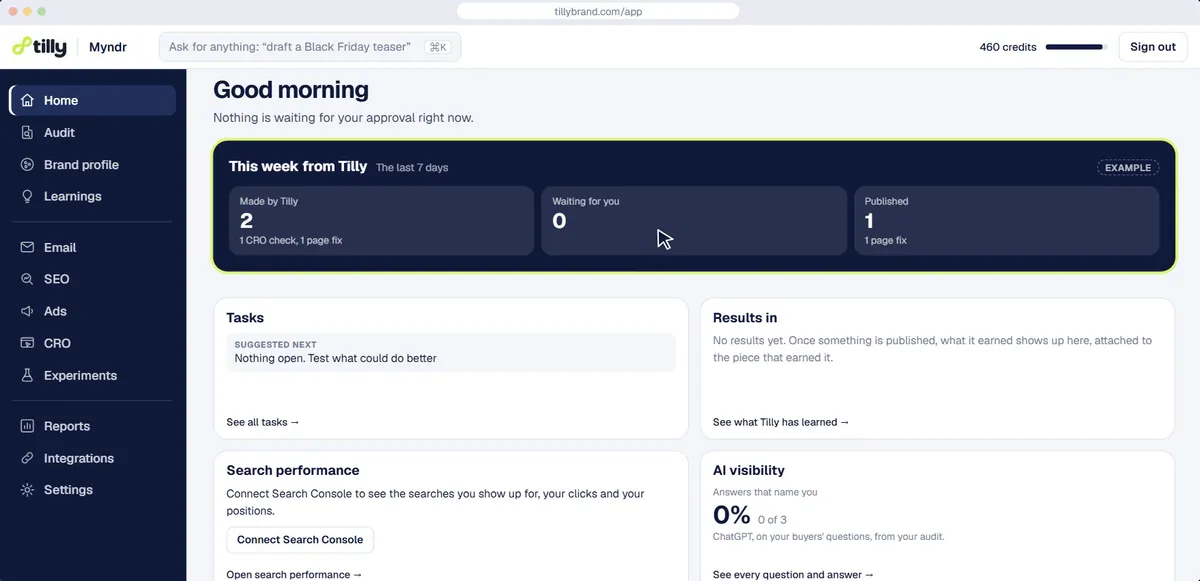
Shopify Campaign Autopilot is built into the Shopify admin and runs approved tactics across Shopify Messaging, Shop Campaigns, Meta and Microsoft ads. Tilly is a separate app that runs your email, ads, SEO, AI search and store pages as one loop, with a person approving every piece and each result shaping the next. Below: channels, approvals and cost, and when Autopilot is the better pick.
The short answer
Autopilot is built into Shopify with no fee of its own: it runs Shopify Messaging emails and Meta and Microsoft ads, and can choose audiences and move budget by itself if you let it.
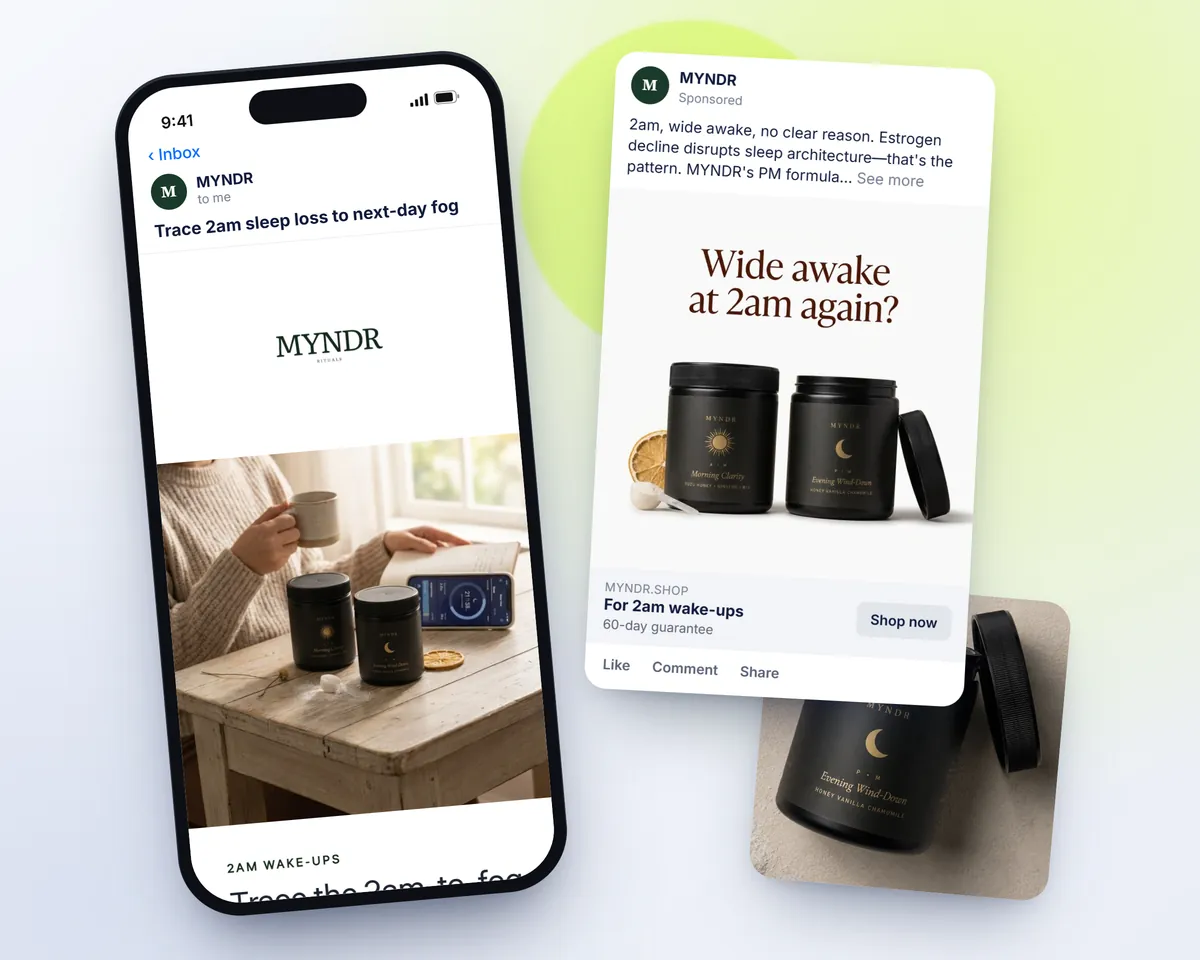
Pick Autopilot if you have no email platform or ad account yet and want to start without leaving Shopify. Pick Tilly if you send through Klaviyo, want your blog, SEO and product pages worked on too, and want to approve every piece. Tilly reads your product pages and reviews, writes for the people who buy and what stops them, and every night writes the next piece with what worked. Try the free audit: paste your store URL and see in about a minute what Tilly would fix first.
What Shopify Campaign Autopilot is
Shopify Campaign Autopilot is Shopify’s own marketing autopilot. There is no fee for it; you pay for the email and ads you approve, and Meta bills ad spend directly. source, checked 1 October 2026
It builds abandoned checkout, abandoned cart, abandoned browse and welcome emails in your store’s colours and logo, runs Meta Advantage+ and Microsoft Performance Max campaigns made from your catalogue, and moves budget between channels by performance. You choose whether it acts on its own or waits for your approval. Email needs the Shopify Messaging app, subject lines can be regenerated but not written by hand, and its Meta campaigns sit apart from your own.
What each one does
Each app’s cells come from its own Shopify listing or pricing page, linked beside the words. “Not listed” means we did not find it there, not that the app cannot do it. Tilly’s column is our own product.
| The job | Tilly | Shopify Campaign Autopilot |
|---|---|---|
| Email and messaging | ||
| Email flows | Writes 8 flows, saved to Klaviyo as drafts | Yessource |
| Email campaigns | Writes them, saved to Klaviyo as drafts | Yessource |
| Products in emails | A featured product or a product carousel, from your catalogue | Not listed |
| SEO and AI search | ||
| SEO blog posts | Writes and publishes them to your Shopify blog | Not listed |
| SEO audit and rankings | Free audit; rankings from Search Console | Not listed |
| SEO fixes | Titles, descriptions and alt text, applied when you press Apply | Not listed |
| AI search visibility | Asks AI assistants your buyers’ questions every week | Not listed |
| Ads | ||
| Meta ads | Writes and makes them; published paused | Runs Advantage+ campaignssource |
| Google ads | Writes a search ad; published paused | Not listed |
| Reads past ad results | Reviews the last 30 days of your Meta account | Not listed |
| Store pages and tests | ||
| Store page fixes | Writes the fix for each page issue | Not listed |
| A/B tests | Plans and sizes them, calls the winner; does not split traffic | Not listed |
| Results and control | ||
| Reports | Blended ROAS and MER from Shopify, Meta and Google, every morning | Not listed |
| Learns from results | Every night, and carries a winner across channels | Not listed |
| Tracks changes to your store | Every six hours, read only | Not listed |
| Waits for your approval | Always: nothing goes live without it | Your choice: on its own or after approvalsource |
| Connects to | Shopify, Klaviyo, Meta, Google Ads, Search Console, Google Analytics | Not listed |
Side by side
Autopilot's column comes from Shopify's Help Center pages for Campaign Autopilot and from its product page on shopify.com, each linked with the date it was read. Autopilot is part of Shopify rather than an app, so it has no App Store listing or rating, and those rows are left out instead of being filled from somewhere else. Shopify's launch post is not used as a source, because a blog post records what was announced, not what the feature does today.
| Side by side | Tilly | Shopify Campaign Autopilot |
|---|---|---|
| Lowest published paid plan | Store: $49/month | Not recorded |
| What the price is based on | Credits spent when an agent builds something; not contacts, sends or ad spend | No Autopilot fee; you pay for the marketing activities you approvesource |
| Free plan or trial | 100 credits, once; on a website sign-up they arrive after a card is saved (it is not charged) | No fee for Autopilot itself; you pay for the marketing you approve and run through itsource |
| Connects to | Klaviyo (draft flows and campaigns), Meta (paused ads), Google Ads (a paused search ad) and Shopify (SEO titles, descriptions and alt text you apply, and blog posts, hidden unless you choose live) | Shopify Messaging, Shop Campaigns, Meta Ads, Microsoft Advertisingsource |
| Approval before anything goes live | Never. Every email, post, ad and page change waits for approval | Not recorded |
What each costs
Autopilot has no price of its own. Shopify's Help Center says it is free to use and has no fees, and that you still pay for the marketing you approve and run through it. Meta bills ad spend directly instead of through your Shopify invoice, email sends follow your Shopify Messaging plan, and Shop Campaigns charges follow Shop Campaigns pricing and your campaign settings. It is available on every Shopify subscription plan except the Agentic plan.
Tilly charges for what its agents build, not for contacts, sends or ad spend. The Start plan gives 100 credits once; on a website sign-up they arrive after a card is saved, and the card is not charged, and on that plan publishing is preview only. Store is $49 a month for 500 credits and 1 store, Growth $149 for 2,000 credits and up to 3 stores, and Agency $399 for 6,000 pooled credits. An email flow costs 30 credits, a campaign 10, a blog post 15 plus 5 per picture, and a Meta ad batch of 4 image ads and 2 video briefs costs 10 plus 5 for each ad image made. The first audit, previews, results, suggestions, reports and the email calendar plan cost nothing, and unused credits roll over.
So the plain comparison is Autopilot's zero against a Tilly subscription, with ad spend paid to Meta either way. Both also leave you paying a sender: Tilly writes into Klaviyo and does not send email itself, so a Tilly store pays Klaviyo for its sends, and an Autopilot store pays for sends under its Shopify Messaging plan.
The last table prices the same store on both. These apps do different jobs and price them differently, so the fair comparison is what each costs to try and to start paying. Ad spend, and a sender for any email, are billed separately.
| Shopify Campaign Autopilot's published plans | Price |
|---|---|
| How it is priced | No Autopilot fee; you pay for the marketing activities you approvesource |
| Email (Shopify Messaging) | Email (Shopify Messaging), follow your Shopify Messaging plan and product termssource |
| Meta Ads | Meta Ads, Meta bills ad spend directly; it is not added to your Shopify invoicesource |
| Shop Campaigns | Shop Campaigns, follow Shop Campaigns pricing and your campaign settingssource |
| Tilly's plans | Price |
|---|---|
| Start | $0, 100 credits, once, good for 30 days |
| Store | $49/month, 500 credits every month |
| Growth | $149/month, 2,000 credits every month |
| Agency | $399/month, 6,000 credits every month, shared across clients |
| What the same store pays | To try it | To start paying |
|---|---|---|
| Shopify Campaign Autopilot | No fee for Autopilot itselfsource | You pay for the email and ads you approve; Meta bills ad spend directlysource |
| Tilly | 100 free credits, once | $79 a month: Sales Starter, 500 credits |
Where Shopify Campaign Autopilot is better
Here is what Autopilot does that Tilly does not, or does for less. source, checked 1 October 2026
- It costs nothing on top of your Shopify plan. Shopify charges no fee for Autopilot; you pay only for the ads and email you approve, which Tilly cannot match with a monthly subscription.
- It runs campaigns as well as creating them. After you approve a tactic it creates and launches the campaign, and it allocates budget across your connected channels based on performance. Tilly publishes ads paused, and spend starts only when you switch an ad on or confirm a suggestion that does.
- It reaches channels Tilly does not publish to: Shop Campaigns aimed at new or lapsed customers on the Shop app and website, and Microsoft Performance Max campaigns on the Microsoft Advertising network.
- A new store needs very little outside Shopify to begin. Email runs through the Shopify Messaging app, and if the store has no Meta ad account, Meta creates one as part of setup.
- Its emails arrive already branded. Autopilot applies your store's colours, logo and styling, and covers abandoned checkout, abandoned cart, abandoned browse and welcome series automations.
Where Tilly is better
Tilly writes into the email tool you already pay for. The email agent puts flows and campaigns into your Klaviyo account as drafts, and Klaviyo stays the sender. Autopilot's email runs through Shopify Messaging, and it leaves emails built outside Autopilot alone, so a store on Klaviyo that also switched on Autopilot email would be running two email systems side by side.
It learns from your own results. Every night it reads what each email, ad, post and page change earned, keeps the patterns your numbers back up, and writes the next piece with them, so a winning ad angle can become an email subject line and a product-page headline. Autopilot chooses audiences and moves budget between channels; Tilly carries the words and angles that worked into every channel it writes for. (How the loop works.)
It looks past the usual channels too. It checks whether AI assistants recommend your store for your buyers' questions (getting recommended by ChatGPT), and it records each change made to your theme, products, pages and menus, before and after, every six hours.
Tilly covers SEO and product pages. The SEO agent writes blog posts with cited research, an FAQ and checked links to your own pages; when you press Publish, an approved post goes into your Shopify blog as a hidden draft unless you choose live. It also writes titles, meta descriptions and image alt text that go to Shopify one at a time when you press Apply, and each can be undone while the field still holds what Tilly wrote. The CRO agent writes page fixes as steps, and you make the change in Shopify and mark it done. Shopify's documentation says Autopilot does not change product prices, descriptions or store settings, and SEO is not among the channels it lists.
Approval is not a setting you can turn off. Every Tilly email, post, ad and page change waits for approval. In Autopilot, your permissions decide whether it creates email and ad campaigns on its own or waits for you, its monthly budget is a spend target it can go above, and for email it picks the customer segment and lets you regenerate a subject line but not write your own.
Tilly starts from who buys. The free audit needs only a store URL; it reads the storefront, reviews and marketing and builds personas, and a Meta ad batch uses only formats the store's own data can back, each ad in a different format. Tilly also creates a paused Google responsive search ad in an ad group you pick; Google is not on the channel list in Shopify's Autopilot documentation.
You can see what worked. Tilly plans A/B tests, sizes them and calls the winner from counts you enter; it does not split traffic itself. With Google Analytics connected read only, each page fix marked done is measured on that page's own visits and sales, four weeks after against four weeks before, and blog posts show the visits and sales that started on them.
Switching
You do not have to choose one. Shopify says Autopilot does not change your existing manual campaigns or one-off emails built outside it, and its Meta campaigns are separate from your other Meta campaigns and use a separate product catalog. A store can let Autopilot run Shop Campaigns and Microsoft ads while Tilly handles Klaviyo, SEO and page fixes.
Settle email first. If Autopilot proposes an abandoned checkout or welcome automation in Shopify Messaging while Klaviyo already runs one, customers can get both. Decide which tool owns each automation before you approve anything, and dismiss the tactics that would duplicate it.
Keep the ad accounts tidy. Tilly's ads land in Meta paused, in campaigns you choose. Shopify notes that edits made to an Autopilot campaign directly in Meta may be overwritten, so put Tilly's new creative in your own campaigns rather than inside Autopilot's.
If you move away from Autopilot, remember that pausing it stops every running tactic at once: ad campaigns pause and scheduled email automations are cancelled. Have the replacement flows ready in Klaviyo first, then run Tilly's free audit, confirm the personas and approve the first flow before you pause.
Questions people ask
Is Shopify Campaign Autopilot free?
Shopify charges no fee for Autopilot itself. You pay for what you approve through it: Meta bills ad spend directly, email sends follow your Shopify Messaging plan, and Shop Campaigns charges follow Shop Campaigns pricing. Your store also needs Shopify Payments, shipping, and refund and shipping policies before you can switch it on.
Can I use Campaign Autopilot and Tilly together?
Yes. Autopilot keeps its Meta campaigns and catalog separate from yours and leaves campaigns and emails built outside it unchanged. One split that avoids overlap is Autopilot for Shop Campaigns and Microsoft ads, and Tilly for Klaviyo email, SEO and page fixes. Decide which tool owns each email automation so nobody gets the same flow twice.
Does Campaign Autopilot work with Klaviyo?
Shopify's documentation lists its channels as Shopify Messaging, Shop Campaigns, Meta Ads and Microsoft Advertising, and its email tactics need the Shopify Messaging app. Klaviyo is not on that list. Tilly writes into Klaviyo as draft flows and campaigns.
Does Autopilot wait for my approval before it spends?
Only if you set it to. Its permissions let you choose whether it creates email and ad campaigns on its own or waits for your approval, and its monthly budget is a target it can spend above. Tilly has no such switch: every piece waits for approval, ads publish paused, and spend starts only when you switch an ad on or confirm a suggestion that does.
Does Autopilot make new ad creative?
Shopify's product page says it uses your catalog to generate ads and no additional creative is needed. Tilly writes Meta ad batches of 4 image ads and 2 video briefs, each in a different format, using only formats your store's own data can back.
Sources
- Shopify Campaign Autopilot: help.shopify.com/en/manual/promoting-marketing/autopilot/requirements-and-considerations, checked 1 October 2026
- Shopify Campaign Autopilot: help.shopify.com/en/manual/promoting-marketing/autopilot/email-automations, checked 1 October 2026
- Shopify Campaign Autopilot: help.shopify.com/en/manual/promoting-marketing/autopilot/meta-ads, checked 1 October 2026
- Shopify Campaign Autopilot: help.shopify.com/en/manual/promoting-marketing/autopilot/setting-up-autopilot, checked 1 October 2026
- Shopify Campaign Autopilot: help.shopify.com/en/manual/promoting-marketing/autopilot/microsoft-advertising, checked 1 October 2026
- Shopify Campaign Autopilot: help.shopify.com/en/manual/promoting-marketing/autopilot/shop-campaigns, checked 1 October 2026
- Shopify Campaign Autopilot: shopify.com/campaign-autopilot, checked 1 October 2026
- Shopify Campaign Autopilot: help.shopify.com/en/manual/promoting-marketing/autopilot, checked 1 October 2026
Spotted a price or fact that has changed? Report an error.
See this on your own store
Paste your store URL. The first pass takes about a minute and needs no account. Save a card (nothing is charged) and Tilly reads the whole store and works out who buys from you.